Built-in Charting Controls (VS 2010 and .NET 4 Series)
This is the fifteenth in a series of blog posts I’m doing on the upcoming VS 2010 and .NET 4 release. Today’s post covers a nice addition to ASP.NET and Windows Forms with .NET 4 - built-in charting control support.
ASP.NET and Windows Forms Charting Controls
A little over 14 months ago I blogged about how Microsoft was making available a free download of charting controls for both ASP.NET 3.5 and Windows Forms 3.5.
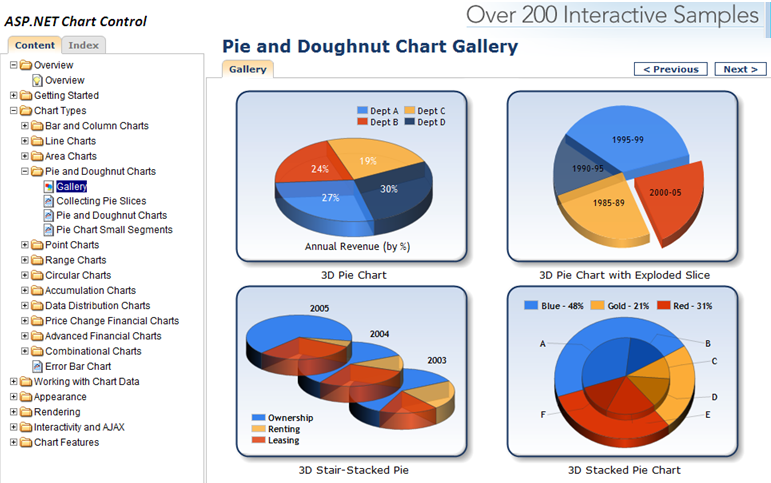
You can download and use these runtime controls for free within your web and client applications today. You can also download VS 2008 tooling support for them. They provide a rich set of charting capabilities that is easy to use. To get a sense of what all you can do with them, I recommend downloading the ASP.NET and Windows Forms sample projects which provide more than 200 samples within them. Below is a screen-shot of some pie and doughnut chart samples from the ASP.NET sample application:
Charting Controls Now Built-into .NET 4
With .NET 3.5 you had to separately download the chart controls and add them into your application. With .NET 4 these controls are now built-into ASP.NET 4 and Windows Forms 4 – which means you can immediately take advantage of them out of the box (no separate download or registration required).
Within ASP.NET 4 applications you’ll find that there is now a new built-in
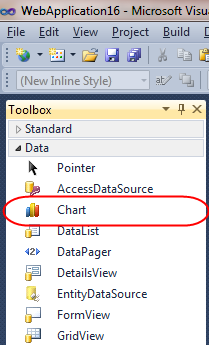
You can use this control without having to register or wire-up any configuration file entries. All of the charting control configuration is now pre-registered with ASP.NET 4 (meaning nothing has to be added to an application’s web.config file for them to work). This enables you to maintain very clean and minimal Web.config files.


ஈரோடு தமிழ் வலைப்பதிவர்கள் குழுமத்திற்கு அன்புடன் அழைக்கின்றோம்.
ReplyDeletehttp://erodetamizh.blogspot.com